At a glance
- Designed and built every part myself: the KiCad PCB, Zephyr firmware in C, the Swift iOS app and the one-bit interface.
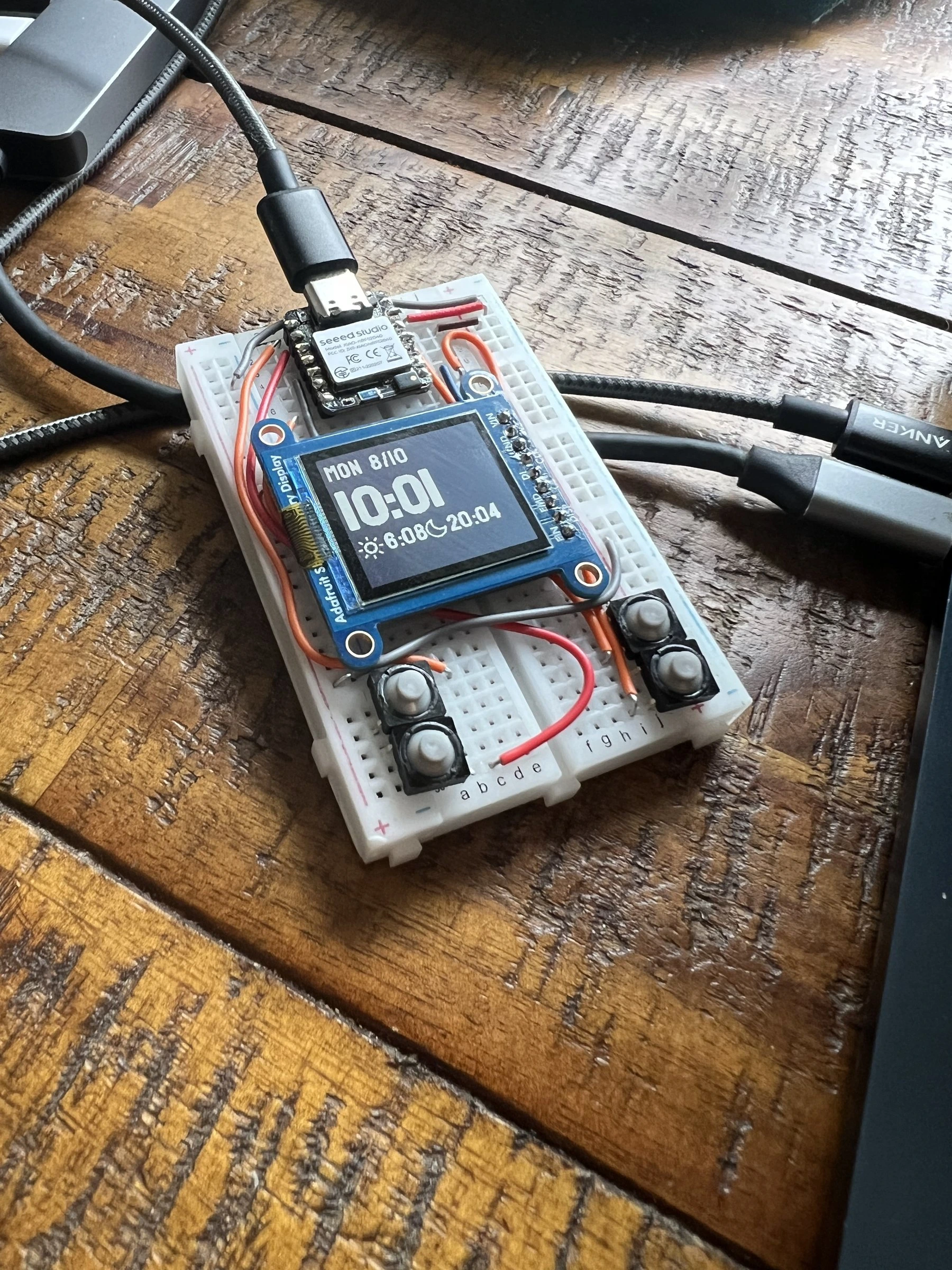
- About twenty screens running on a breadboard prototype, synced with the phone over two custom BLE services, with music control through Apple Media Service.
- A custom compositor diffs each frame and sends only the changed rows over SPI: a minute change transmits a single digit's strip.
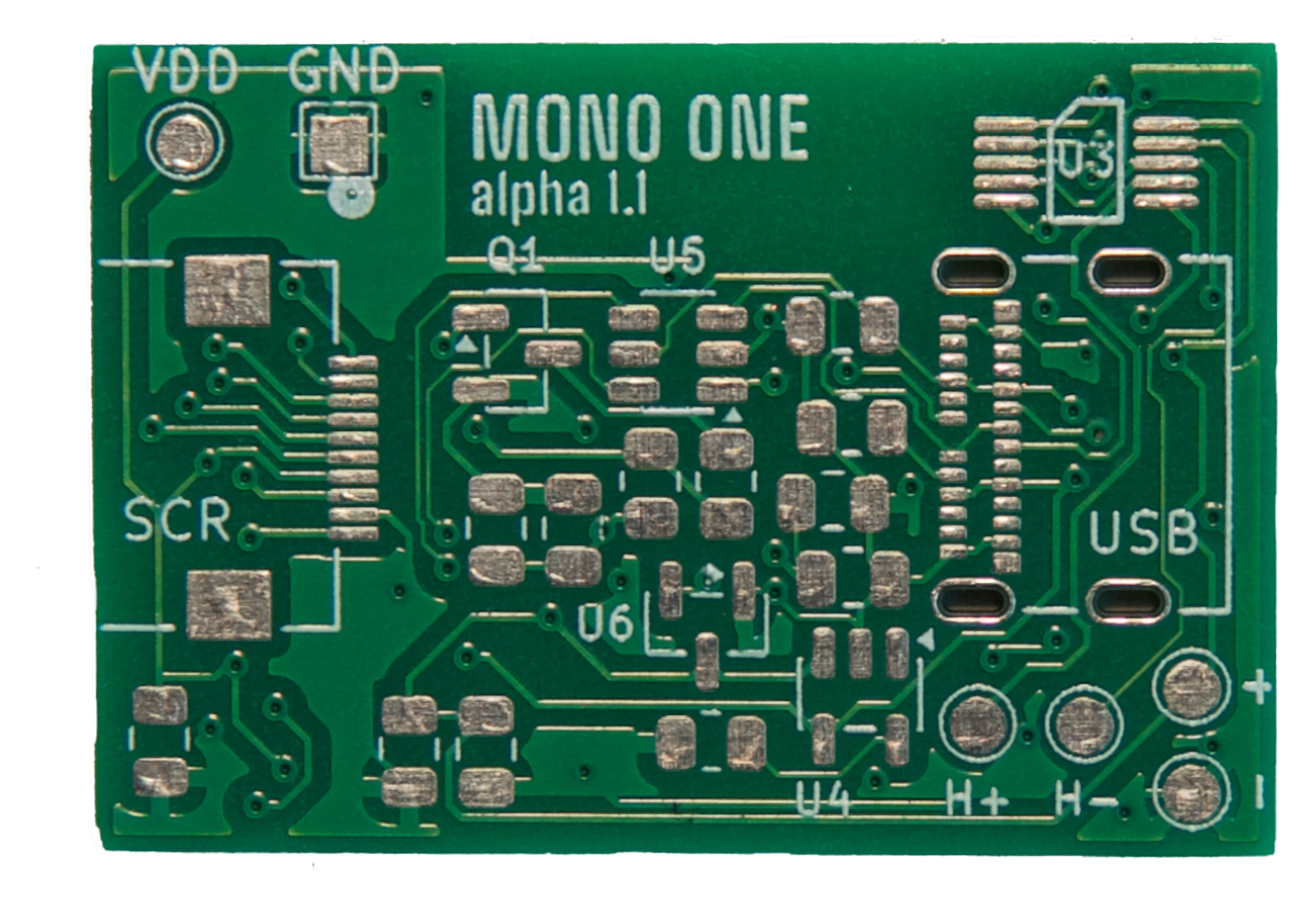
- Board v1.1 fabricated after v1.0 shipped with the charger's battery negative left off the ground net.
Works todayThe full firmware and iOS app, on the breadboard prototype. The v1.1 PCB is fabricated and waiting on parts for assembly.
Overview
Mono Watch is a smartwatch I'm building around a single monochrome display: one place for time, weather, fitness and music, legible at a glance. I designed and built every part of it from scratch: the PCB, the firmware, the companion app and the interface.
The complete system, firmware and iOS app included, runs on a breadboard prototype built around a Seeed XIAO nRF52840 Sense. The custom PCB is on its second revision: v1.0 had a critical design error, and the v1.1 boards that fix it have been fabricated and are waiting on parts for their first assembly.
Hardware
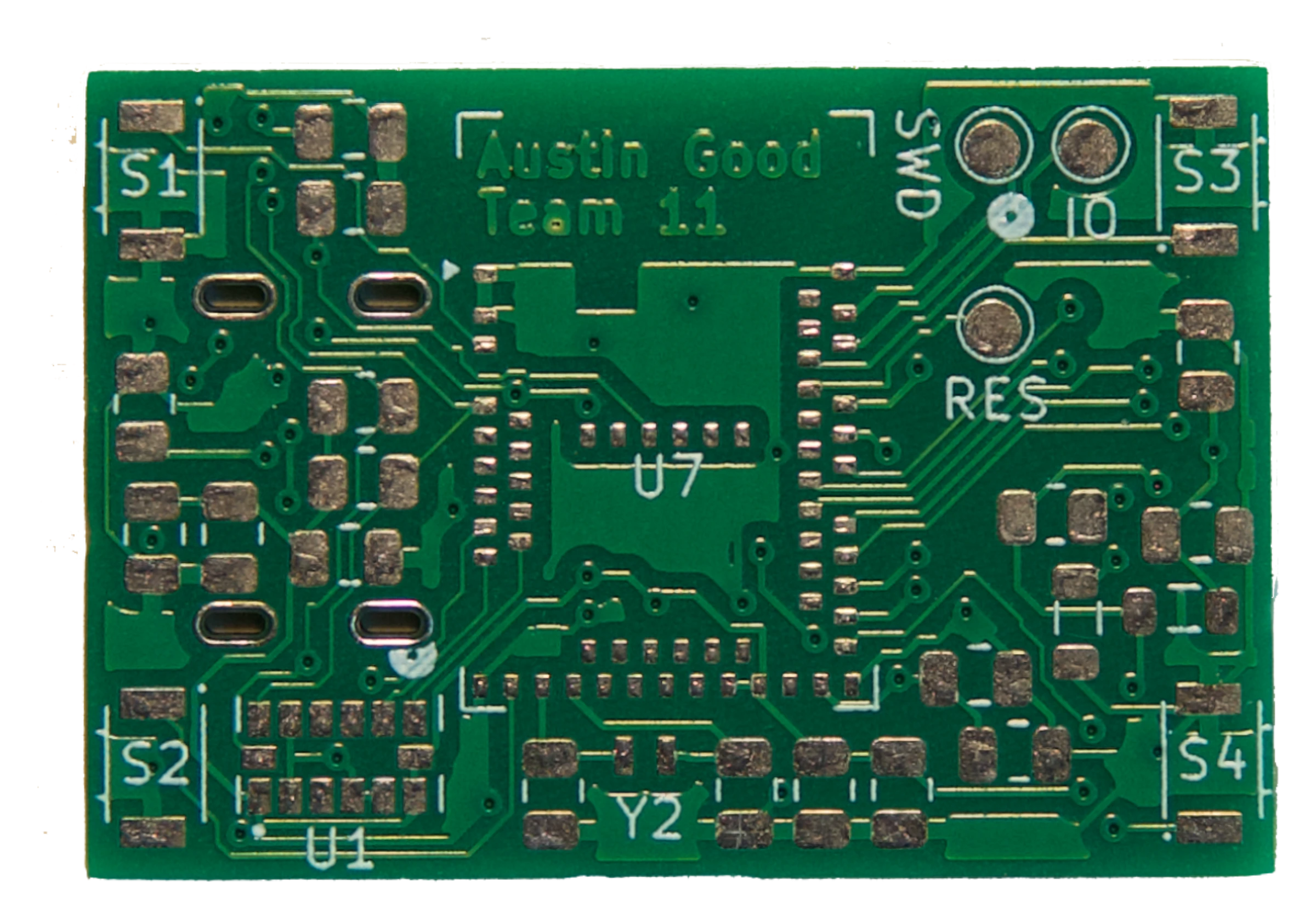
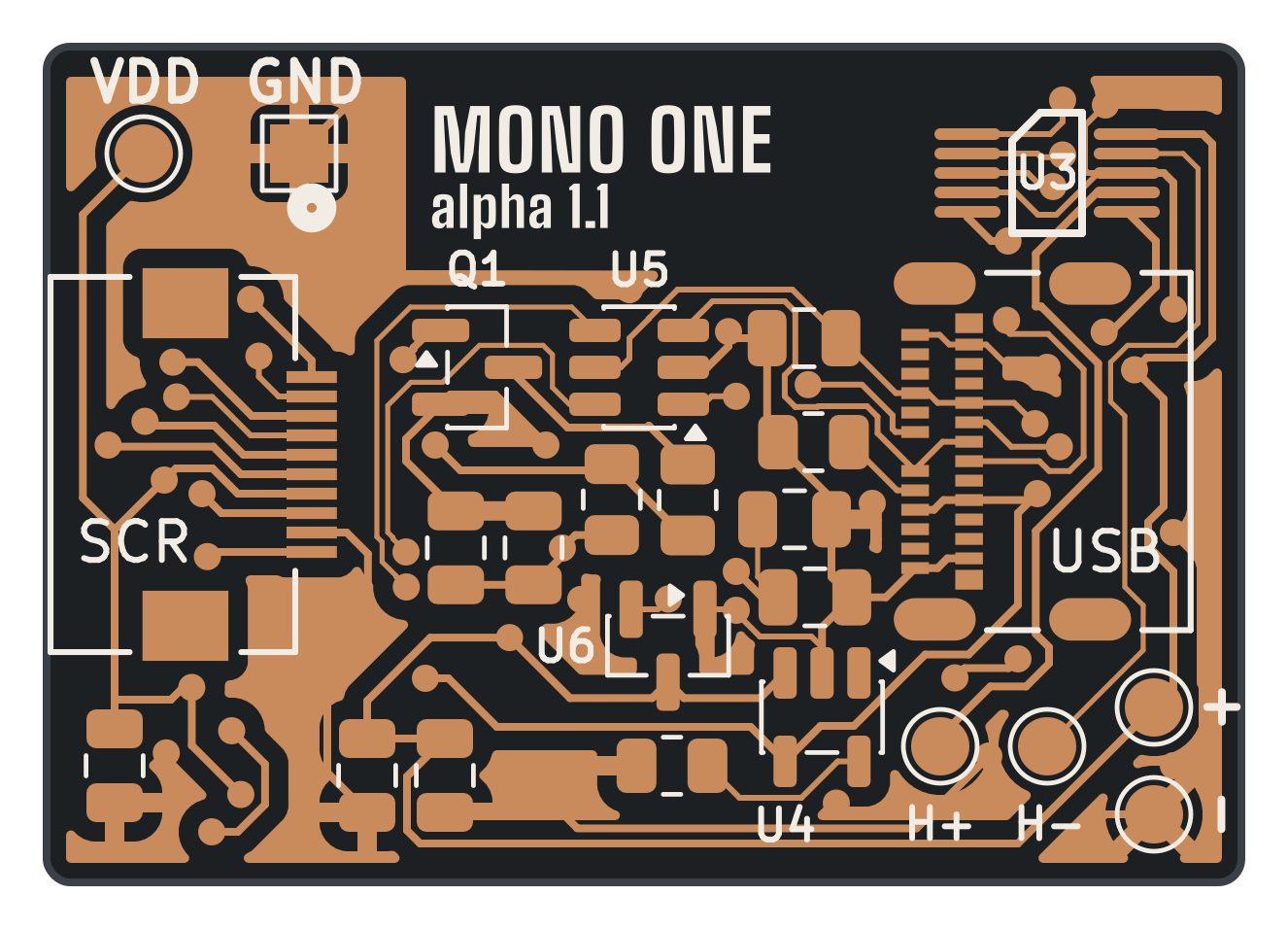
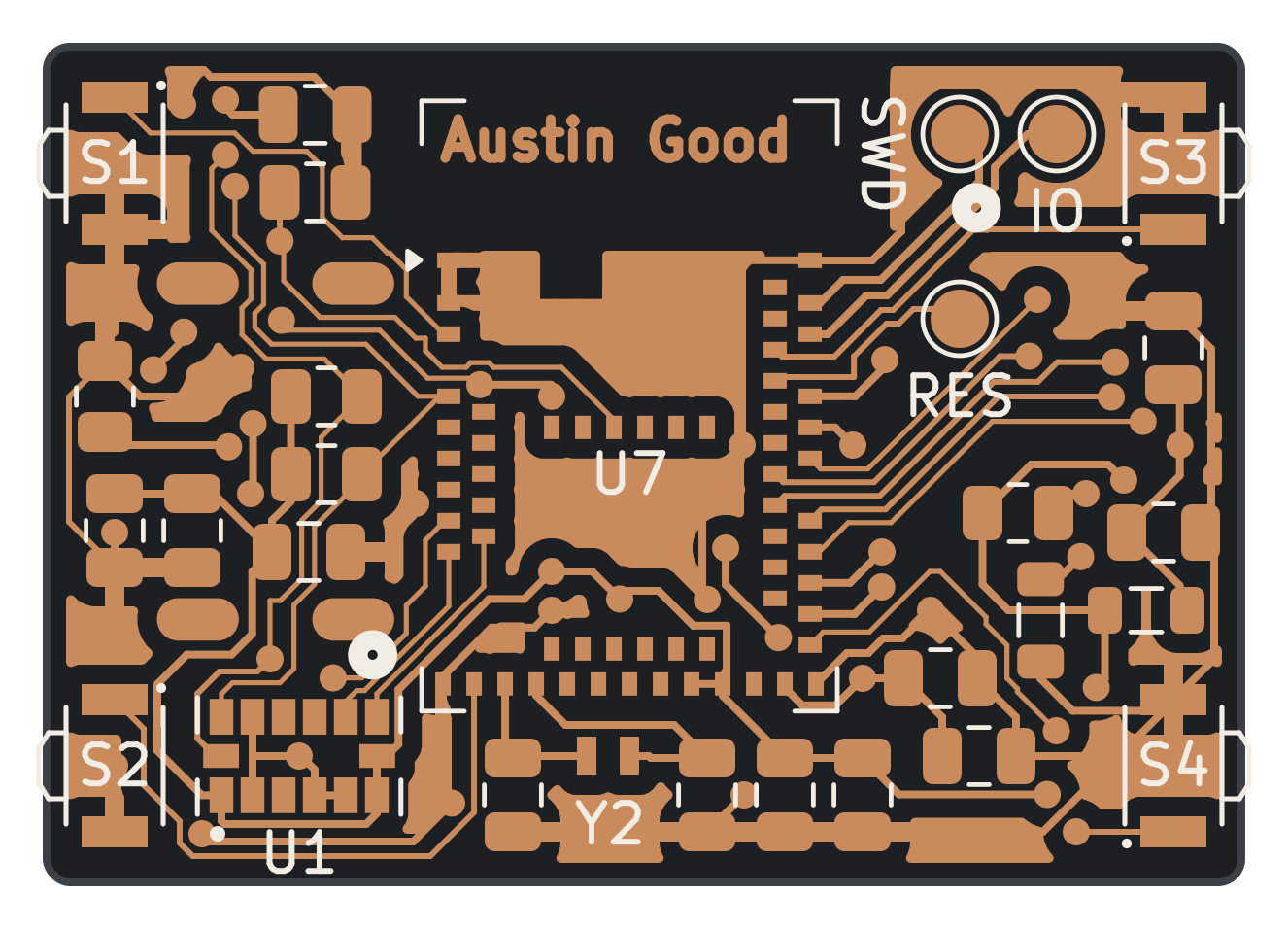
I designed the custom board in KiCad: a two-layer, 30.95 × 21.7 mm PCB built around the MDBT50Q, a pre-certified nRF52840 Bluetooth module, with an ADXL343 accelerometer, a DRV2605L haptic driver, MCP73831 LiPo charging over USB-C with USBLC6 ESD protection, an MCP1700 regulator, a 32.768 kHz crystal and a battery connector.
v1.0 was fabricated with a critical schematic error: I never tied the battery charger's negative terminal to the board's ground, so the battery and the rest of the circuit had no common reference and the board couldn't run. The fix was a single connection; the lesson was to trace every power path, return included, before ordering boards. v1.1 fixes it and reorders the layout as my CAD workflow matured. I'll assemble it in-house with a solder-paste stencil, then design the enclosure once the board is validated.
Design
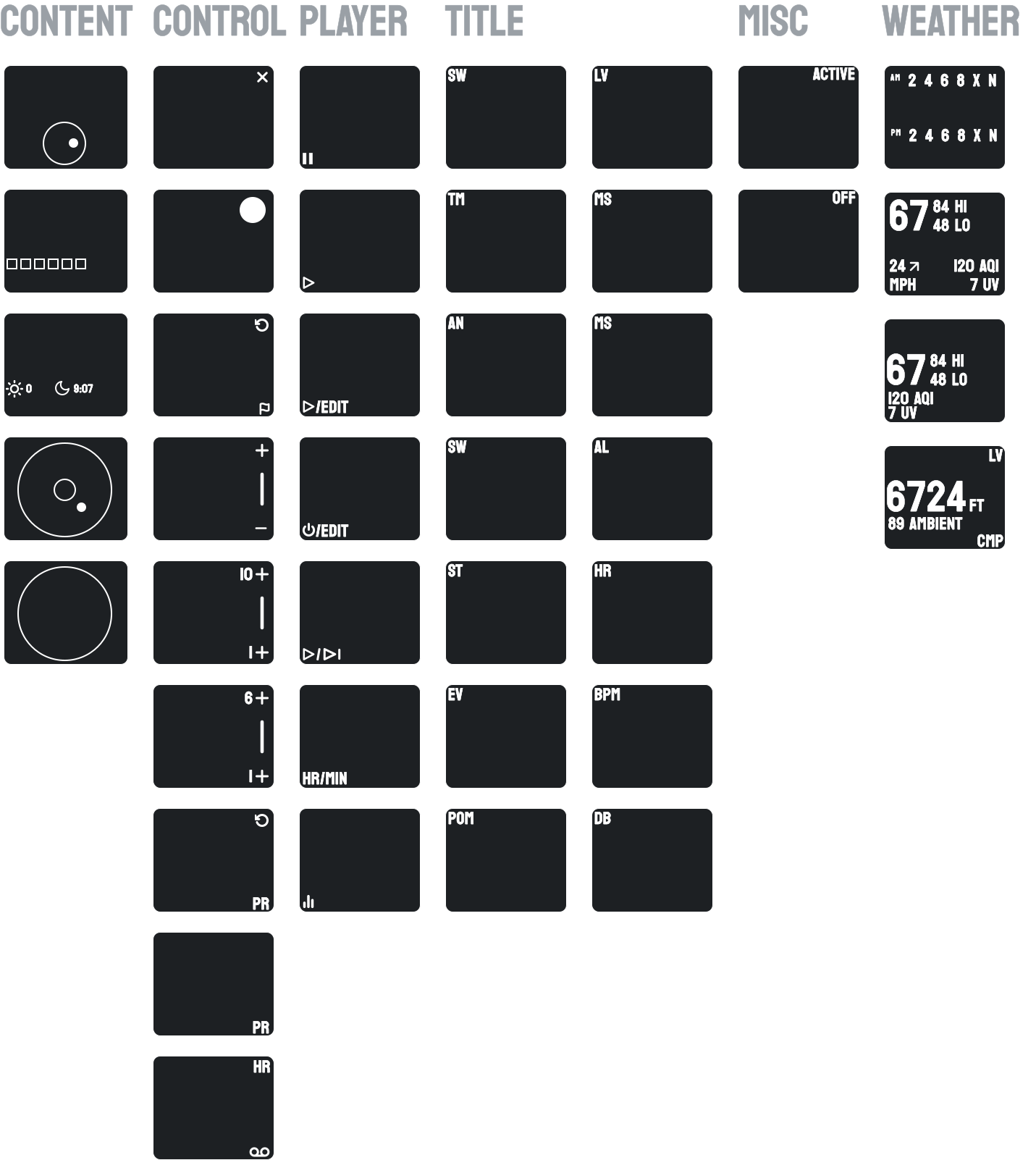
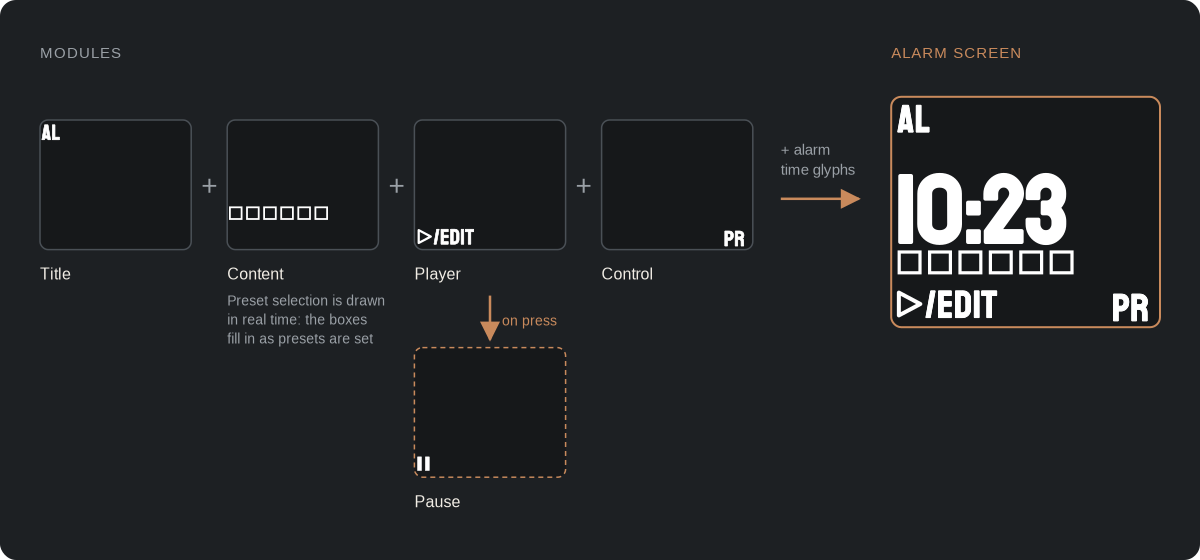
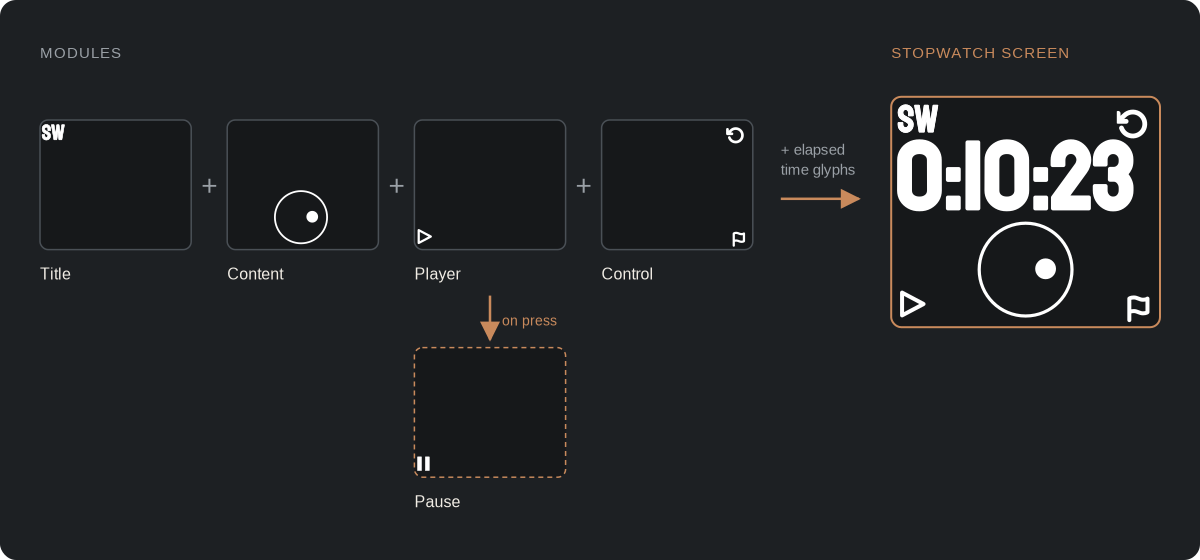
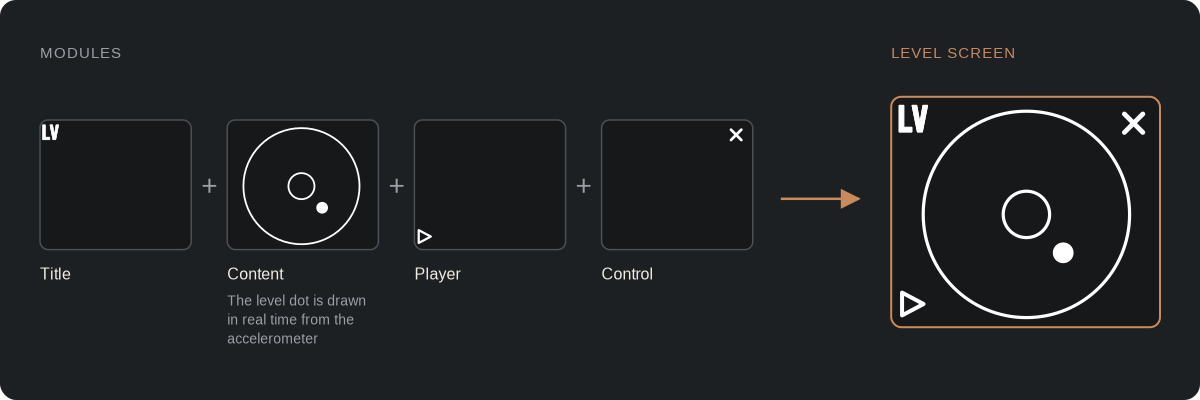
I design the interface in Figma as a library of modules rather than as whole screens. Every module is a one-bit sprite drawn on the full 168 × 144 frame, and each kind keeps to its own region: a two-letter title in the top-left corner, content in the middle, controls along the right edge and player actions in the bottom-left. Because modules are already in position, building a screen is just layering them, with no layout step on the watch.
A screen is just a list of modules plus its live text, such as the time, drawn from Bayon glyph bitmaps at two sizes. Screens share sprites, so nothing is stored twice: the same play module appears on the stopwatch and level screens, and the same pause module on the alarm and stopwatch. Interaction works the same way: pressing a button swaps a single layer, such as the play module for pause, and the frame is recomposed. Weather screens use full-frame layouts of their own.


Display and rendering
The display is a Sharp LS013B7DH05 memory LCD, 168 × 144 pixels, chosen for its very low power draw and its readability in direct sunlight.
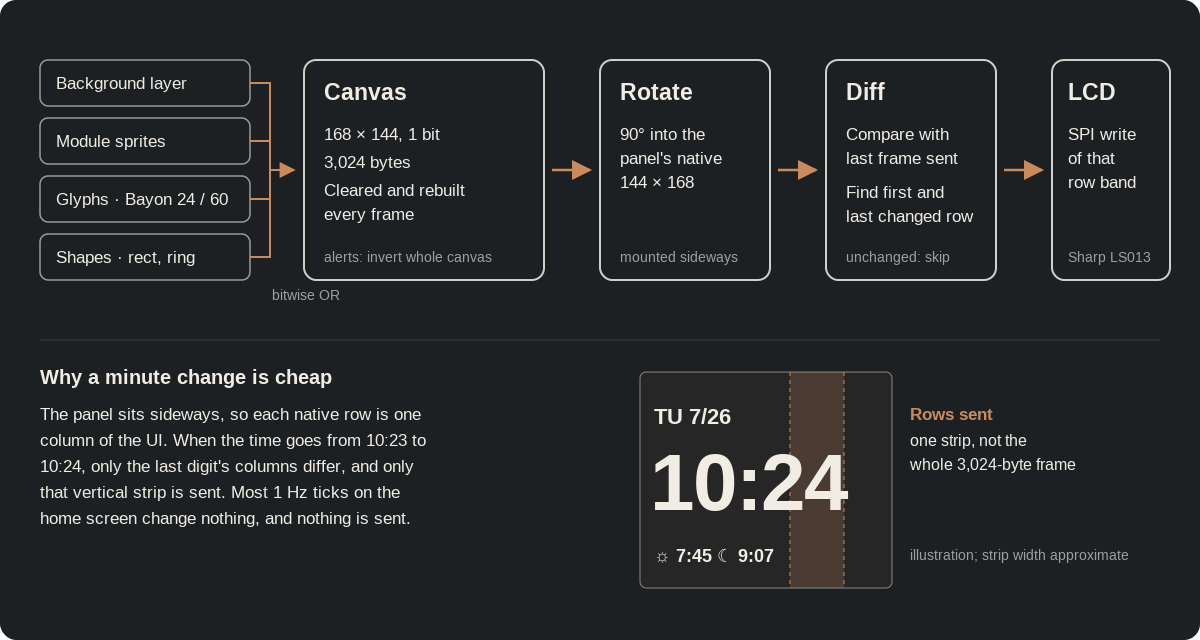
Each frame is rebuilt from scratch on a 168 × 144, one-bit canvas of 3,024 bytes. A custom compositor clears it, then ORs in a full-screen background layer, the screen's module sprites, glyphs and procedural shapes such as progress rings. Because the panel is mounted rotated 90°, the finished frame is rotated into the panel's native 144 × 168 orientation and compared row by row with a shadow copy of the last frame sent. Only the band from the first changed row to the last is written over SPI, and an identical frame sends nothing at all.
The rotation makes this especially cheap: each native row is one column of the UI, so when the time changes from 10:23 to 10:24, only the vertical strip under the last digit is transmitted. The UI redraws on a 1 Hz tick, or 2 Hz while an alarm flashes the screen by inverting the whole canvas.
Firmware
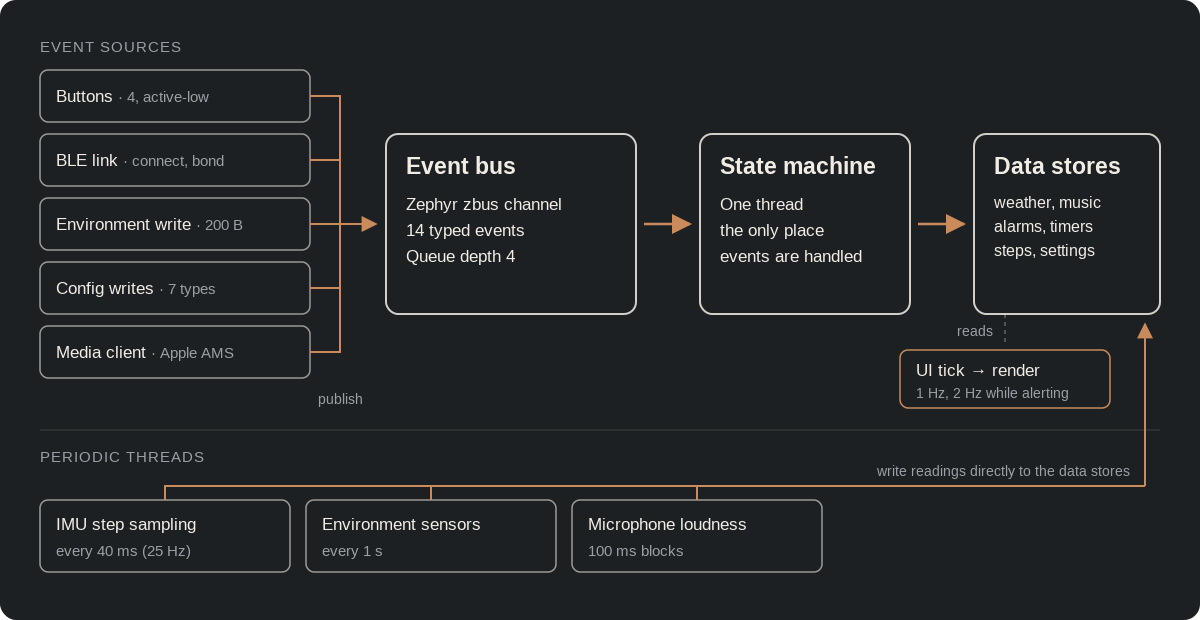
I wrote the firmware in C on Zephyr through the nRF Connect SDK, chosen for its power management. Buttons, Bluetooth connection and bonding callbacks, the phone's GATT writes and the Apple Media Service client all publish typed events, 14 kinds in total, onto a Zephyr zbus channel. A single state-machine thread with a four-deep queue is the only place events are handled, so input, Bluetooth and rendering never touch shared state directly. Sensor work runs in its own threads and writes straight to the data stores: the IMU samples at 25 Hz for step counting, the environment sensors read once per second, and the microphone measures loudness in 100 ms blocks.
The watch provides roughly twenty screens: time, analog, weather, compass, level, elevation, step count with hourly and weekly history, heart rate, loudness, stopwatch with splits, timer, alarm, Pomodoro, and music control through Apple Media Service. I also wrote a Python preview renderer that draws every screen state from the firmware's own layout code, so each screen can be checked without flashing hardware.
iOS companion app
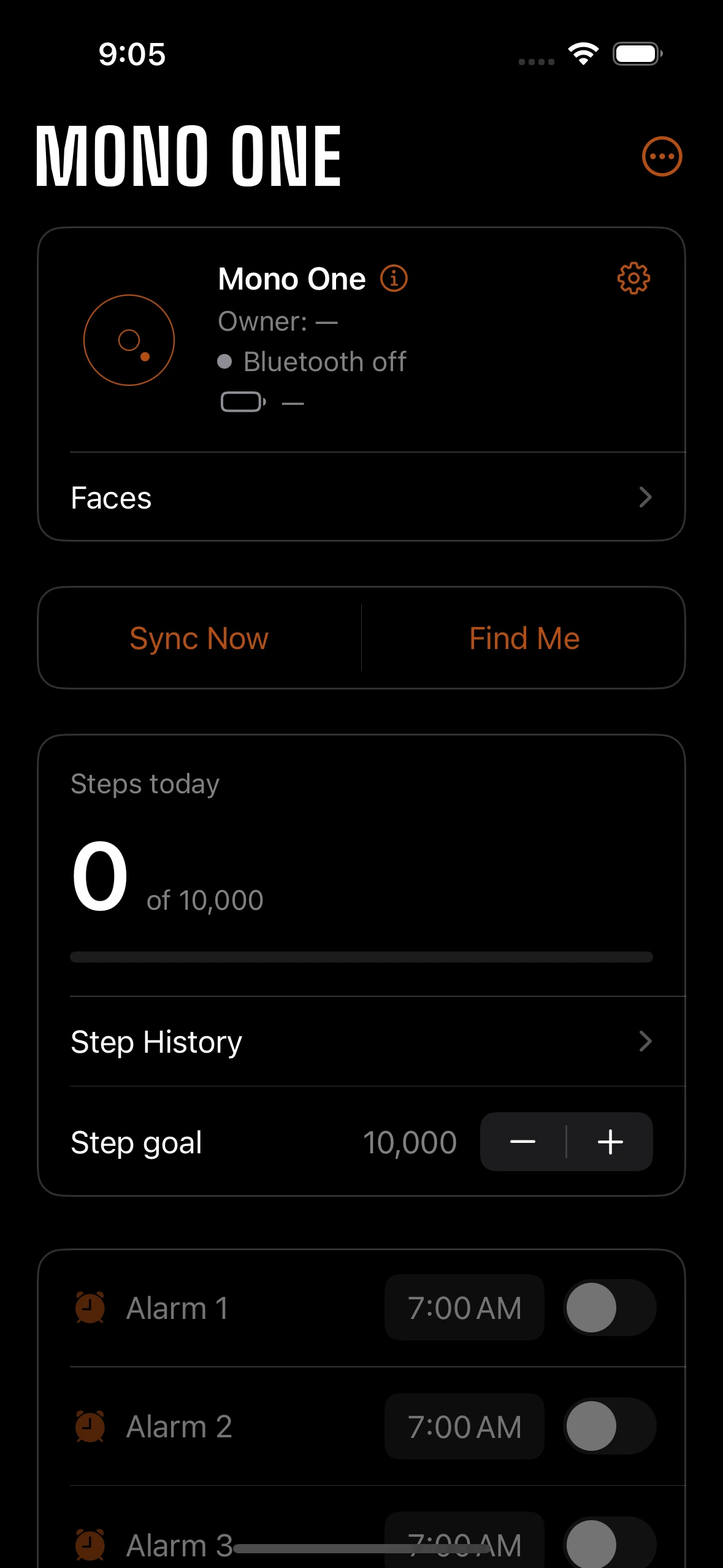
The companion iOS app, which I wrote in Swift, connects over Bluetooth Low Energy through two custom GATT services. The environment service takes a single 200-byte packed write carrying the current time and time zone, sunrise and sunset, elevation, current conditions and a 24-hour forecast at seven bytes per hour, with weather from Open-Meteo.
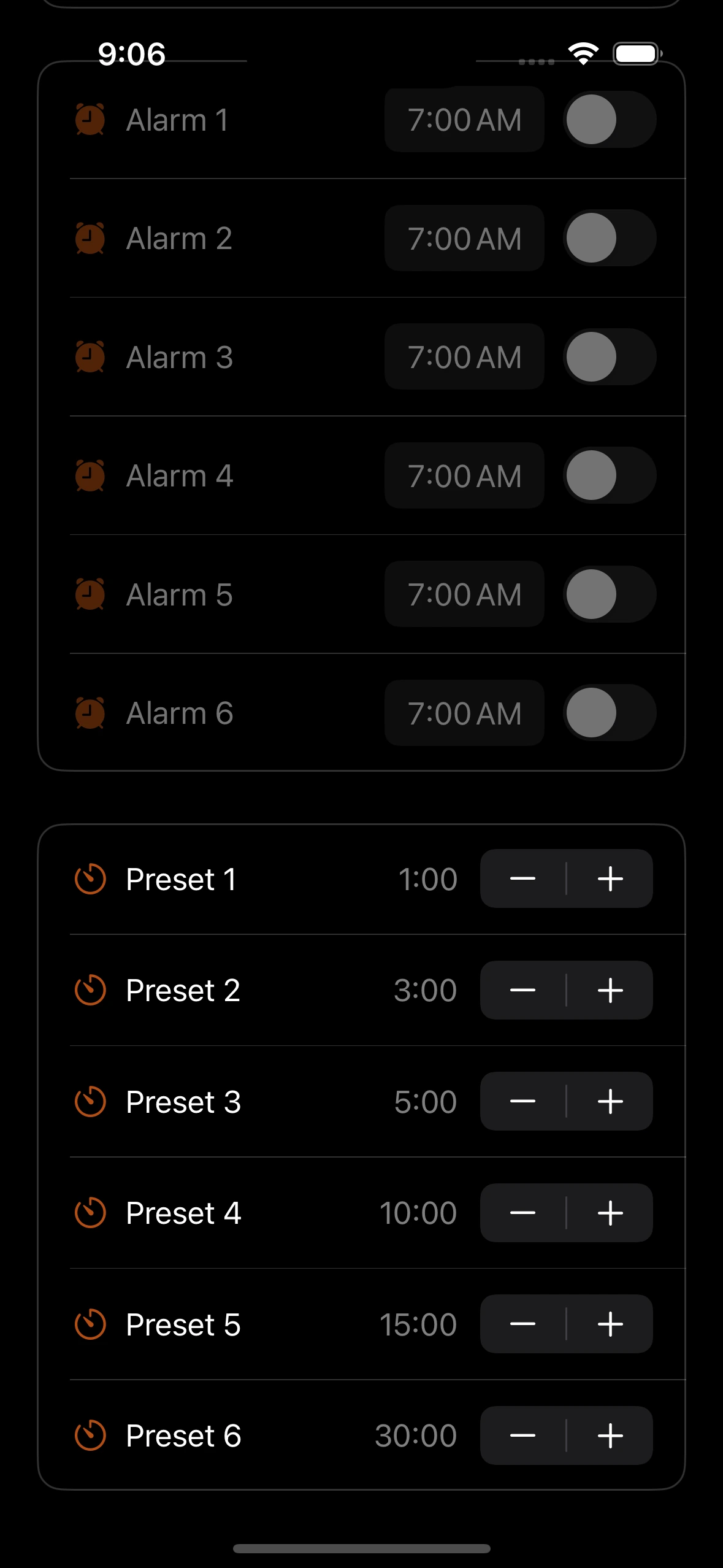
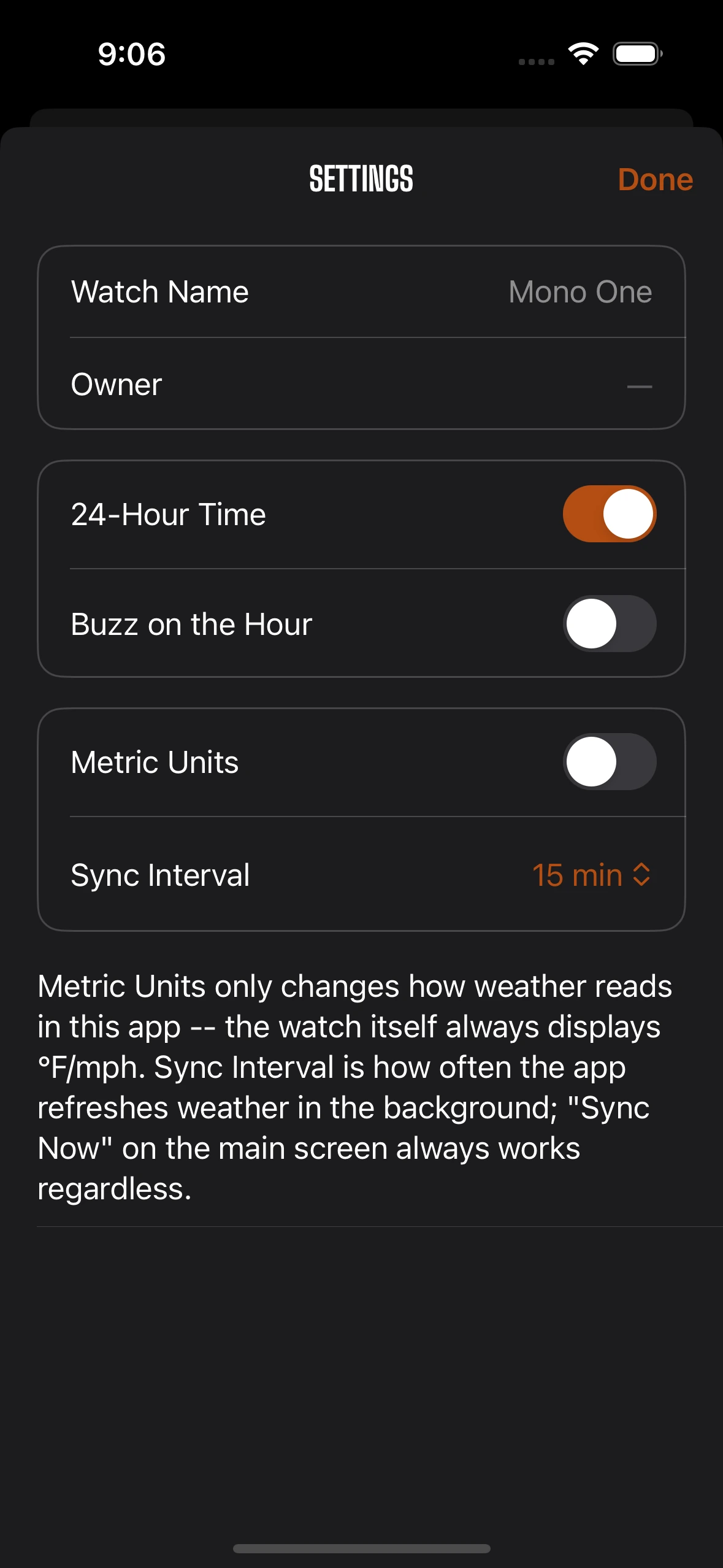
The configuration service has seven write characteristics (screen order, step goal, alarms, timer presets, 12- or 24-hour time, watch name and owner) and two read characteristics: device info, and a 347-byte step history of 168 hourly buckets, which is larger than a single Bluetooth packet and relies on a long read. Music control runs the other way, with the watch acting as a client of the iPhone's Apple Media Service.
Next steps
Assemble and bring up the v1.1 board, select a battery, then design the enclosure.